What to Do If Your Name on WAEC Doesn’t Match Your JAMB Profile (JAMB Regularization Guide)
Introduction
Few things cause Nigerian students as much stress during the admission process as discovering that their name on their WAEC certificate does not match the name on their JAMB profile. This name mismatch — whether it is a different spelling, a rearranged name order, a missing middle name, or a completely different surname — can delay admission, block clearance at the university, prevent graduation, and even create lifelong problems with academic records.
Every year, thousands of candidates across Nigeria face this exact problem. Some registered for WAEC with one name arrangement and later used a different arrangement when creating their JAMB profile. Others had their names misspelt by examination centres or JAMB Computer-Based Test (CBT) centres. Some candidates changed their names after writing WAEC but before registering for JAMB, or vice versa.
Whatever the cause, the good news is that this problem is fixable. The Joint Admissions and Matriculation Board (JAMB) has an official process — known as JAMB regularization — and a data correction mechanism that allows candidates to resolve name discrepancies.
This comprehensive guide explains everything you need to know: why name mismatches happen, the consequences of leaving them unresolved, how to correct your name on your JAMB profile, how to correct your name on your WAEC certificate, the documents you need, the costs involved, step-by-step procedures, common mistakes to avoid, and answers to frequently asked questions.
If your WAEC name does not match your JAMB profile, read this guide carefully before taking any steps.
Quick Answer
If your name on WAEC does not match your JAMB profile, you have several options depending on which record contains the error:
- If the error is on your JAMB profile: Apply for JAMB data correction through the official JAMB portal or visit a JAMB office to request a name correction.
- If the error is on your WAEC certificate: Apply for a correction of name through WAEC’s official process.
- If you changed your name legitimately after writing WAEC or JAMB: Obtain a sworn affidavit, a newspaper publication of the name change, and use these documents to support your correction application with JAMB or WAEC, as appropriate.
- If you need JAMB regularization: This applies if you gained admission without using JAMB or if your JAMB records do not properly reflect your admission. Regularization involves registering your admission with JAMB officially.
The most important thing is to ensure that your name is consistent across your WAEC result, JAMB profile, university admission records, and other official documents. Failing to resolve a name mismatch can prevent you from completing clearance, collecting your degree certificate, or participating in the National Youth Service Corps (NYSC).
Why Name Mismatches Between WAEC and JAMB Happen
Understanding why your name on WAEC differs from your JAMB profile is the first step toward fixing it. Name mismatches are surprisingly common in Nigeria, and they happen for a variety of reasons.
1. Errors During WAEC Registration
Many candidates register for WAEC (SSCE) while they are still in secondary school. In many cases, the school handles the registration, and sometimes:
- A teacher or school administrator misspells the student’s name.
- The name order is entered incorrectly (for example, the surname is swapped with the first name).
- A middle name is omitted.
- An extra name is included that the student does not normally use.
- Abbreviations are used instead of full names.
Because students are often young during WAEC registration and may not review the entries carefully, these errors go unnoticed until much later.
2. Errors During JAMB Registration
Similarly, errors can occur when registering for JAMB UTME. Common causes include:
- The candidate misspells their own name during online registration.
- The CBT centre operator enters the wrong name.
- The candidate uses a different name arrangement from the one on their WAEC certificate.
- A nickname or shortened version of a name is used instead of the full legal name.
- The candidate’s name is entered with different capitalisation or spacing.
3. Name Changes After WAEC
Some candidates change their names between writing WAEC and registering for JAMB. This can happen because of:
- Marriage (a candidate takes a spouse’s surname).
- Family decisions (a candidate adopts a different family name).
- Religious conversion (a candidate changes their first name).
- Personal preference.
- Correction of an error on their birth certificate.
If the candidate does not update their WAEC records to reflect the new name before registering for JAMB, the two records will show different names.
4. Name Changes After JAMB
A candidate may also change their name after registering for JAMB but before gaining admission or during their university studies. This creates a mismatch between the JAMB profile and the WAEC certificate.
5. Inconsistent Name Usage
In Nigeria, it is common for individuals to use different versions of their name in different contexts. For example:
- A candidate may be known as Adewale Oluwaseun Bakare at school but registers for JAMB as Bakare Oluwaseun Adewale.
- A candidate may use Chidinma on WAEC but Dinma on JAMB.
- A candidate may include a middle name on one document but not on the other.
These inconsistencies, even when they involve the same person, create official name mismatches that must be resolved.
6. Typographical Errors by Officials
Sometimes, errors are introduced by examination officials, data entry clerks, or system glitches. A single mistyped letter can create a name mismatch.
7. Use of Different O’Level Results
Some candidates write both WAEC and NECO examinations. If they register for JAMB using details that match their NECO certificate rather than their WAEC certificate (or vice versa), and the names on the two certificates are slightly different, this creates a mismatch.
Why a Name Mismatch Between WAEC and JAMB Is a Serious Problem
Some candidates assume that a minor name difference — such as a missing middle name or a slight spelling variation — is not a big deal. This is a dangerous assumption. A name mismatch between your WAEC result and your JAMB profile can cause serious problems at multiple stages of your education journey.
During Admission
- Post-UTME screening: Some universities compare your JAMB details with your O’level results during Post-UTME. A name mismatch may raise questions about your identity, and your application could be flagged or rejected.
- Admission offers: When JAMB processes admission through CAPS (Central Admissions Processing System), the system cross-references your details. Inconsistencies can delay or block your admission.
- Acceptance of admission: If your name on JAMB does not match your WAEC, some institutions may refuse to process your admission acceptance.
During University Clearance
After gaining admission, every Nigerian university or polytechnic requires you to complete a clearance exercise. During clearance, the institution verifies your original documents, including your WAEC result or certificate and your JAMB admission letter.
If the name on your WAEC does not match the name on your JAMB profile or admission letter, the institution may:
- Refuse to clear you.
- Ask you to resolve the discrepancy before clearance can proceed.
- Place your admission on hold.
- In extreme cases, withdraw the admission offer.
During Your Studies
Some students manage to complete clearance despite a name mismatch (perhaps because the verification was not thorough). However, the problem can resurface during:
- Course registration, when the university system flags the inconsistency.
- Examination registration, if the institution cross-checks your records.
- Industrial training (SIWES) registration, which requires document verification.
During Graduation and Certificate Collection
At graduation, the university issues your degree certificate bearing the name on your admission records (which typically matches your JAMB profile). If this name does not match your WAEC certificate, it creates a chain of inconsistent documents that can cause problems with:
- Employment verification.
- Professional licensing and registration (for example, with the Council for the Regulation of Engineering in Nigeria, the Medical and Dental Council of Nigeria, or the Nigerian Bar Association).
- Postgraduate admission applications.
- International applications (for work, immigration, or further studies abroad).
During NYSC
The National Youth Service Corps (NYSC) requires your documents to be consistent. A name mismatch between your WAEC certificate, JAMB records, and university degree certificate can delay or block your NYSC mobilisation.
Long-Term Career and Professional Problems
Beyond NYSC, a name mismatch can cause problems throughout your professional life whenever you need to present your academic credentials. Employers, professional bodies, and government agencies expect consistency across your documents.
The bottom line: A name mismatch between your WAEC and JAMB is not a minor issue. It should be resolved as early as possible.
Understanding the Difference Between JAMB Data Correction and JAMB Regularization
Before you take any steps, it is important to understand two distinct JAMB processes that people often confuse:
JAMB Data Correction (Change of Data/Name Correction)
This is the process of correcting errors or updating information on your existing JAMB profile. If you already registered for JAMB and your name is wrong on your JAMB profile, you apply for JAMB data correction (also called JAMB change of data) to fix it.
JAMB data correction can be used to correct:
- Name spelling errors.
- Wrong name order.
- Missing middle names.
- Date of birth errors.
- State of origin errors.
- Gender errors.
- Other personal data mistakes.
JAMB Regularization
JAMB regularization is a different process. It is designed for candidates who gained admission into a Nigerian tertiary institution without going through JAMB or whose admission was not properly captured by JAMB.
Examples of candidates who may need JAMB regularization include:
- Students admitted through institutional pre-degree or foundation programmes without a valid JAMB registration.
- Students who were admitted but whose records were not properly transmitted to JAMB.
- Students admitted through Direct Entry but whose JAMB Direct Entry registration was not completed.
- Students whose admission was not reflected on JAMB CAPS.
Why does JAMB regularization matter for name mismatches?
If your name mismatch is discovered during or after your university studies, and your institution cannot complete your records because JAMB does not recognise your admission, you may need to undergo JAMB regularization in addition to a name correction. This ensures that JAMB’s records accurately reflect your admission with the correct name.
In many cases, candidates with name mismatches need JAMB data correction rather than full regularization. However, some candidates — especially those who are already studying or have graduated — may need both processes.
This guide covers both, so you can determine which applies to your situation.
How to Determine Which Record Needs Correction
Before you start any correction process, you need to identify exactly where the error lies. Ask yourself:
Is the error on your WAEC certificate?
Check your WAEC result or certificate carefully. Compare it with:
- Your birth certificate.
- Your national identity card or NIN slip.
- Your international passport (if you have one).
- Other official documents bearing your legal name.
If the name on your WAEC does not match your legal name, the error is on the WAEC side.
Is the error on your JAMB profile?
Log in to your JAMB profile and check the name recorded there. Compare it with your legal name and your WAEC certificate.
If the name on your JAMB profile does not match your legal name, the error is on the JAMB side.
Are both records wrong?
In some cases, both your WAEC certificate and your JAMB profile contain errors or different versions of your name, and neither matches your legal name. If this happens, you will need to correct both records.
Did you change your name legitimately?
If you changed your name after obtaining your WAEC result or after registering for JAMB, neither document is technically “wrong” — they simply reflect different names used at different times. In this case, you need to update the older record to match your current legal name.
A Simple Comparison Exercise
Use this table to compare your name across documents:
| Document | Surname | First Name | Middle Name |
|---|---|---|---|
| Birth Certificate | |||
| WAEC Result/Certificate | |||
| JAMB Profile | |||
| NIN Slip/National ID | |||
| University Records |
Fill in this table with your actual details. Any differences between the rows will show you exactly where the mismatch lies and which documents need correction.
How to Correct Your Name on Your JAMB Profile (JAMB Data Correction)
If the error is on your JAMB profile, you need to apply for JAMB data correction (also known as JAMB change of data). JAMB allows candidates to correct personal information on their profiles, including their names.
Requirements for JAMB Name Correction
Before you begin, gather the following documents:
- Your original WAEC certificate or result slip (showing the correct name you want on your JAMB profile).
- A sworn affidavit from a court of law, declaring the correct name and explaining the discrepancy (required if the names are significantly different or if there has been a name change).
- A newspaper publication of the name change or correction (required if you changed your name legally).
- Your JAMB registration number.
- Your JAMB profile code (you can retrieve this by sending your NIN to 55019 via SMS, or through the JAMB portal).
- A valid email address and phone number linked to your JAMB profile.
- Your National Identification Number (NIN).
- A valid means of identification (national ID card, international passport, driver’s licence, or NIN slip).
Step-by-Step Process for JAMB Data Correction (Online Method)
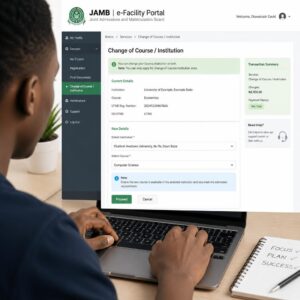
JAMB has introduced an online data correction process through its e-facility portal. Follow these steps:
Step 1: Visit the JAMB e-Facility Portal
Go to the official JAMB e-facility portal at efacility.jamb.gov.ng.
Step 2: Log In to Your Account
Log in using your registered email address and password. If you have forgotten your password, use the password recovery option.
If you do not have an account on the e-facility portal, create one using the email address linked to your JAMB profile.
Step 3: Select “Correction of Data”
Once logged in, look for the “Correction of Data” or “Transaction” option on the dashboard. Select it.
Step 4: Choose the Type of Correction
You will be presented with options for the type of correction you want to make. Select “Name Correction” or the appropriate option for changing your name.
Step 5: Enter the Correct Details
Enter your correct name as it appears on your WAEC certificate (or your legal name, if you changed your name after WAEC). Double-check every letter before submitting.
Step 6: Upload Supporting Documents
You may be required to upload scanned copies of supporting documents, such as:
- Your WAEC certificate or result.
- A sworn affidavit.
- A newspaper publication of the name change (if applicable).
Ensure that uploaded documents are clear, legible, and in the required format (usually PDF or JPEG).
Step 7: Pay the Required Fee
JAMB charges a fee for data correction. The fee may vary depending on the type and number of corrections. As of recent JAMB operations, the data correction fee has been in the range of ₦2,500 to ₦3,500, but this amount can change. Confirm the current fee on the portal before making payment.
Payment is typically made online through the portal using a debit card, bank transfer, or other accepted payment methods.
Step 8: Submit the Request
After entering the correct information, uploading documents, and making payment, submit the correction request.
Step 9: Wait for Processing
JAMB will review your request. Processing times vary, but most corrections are processed within a few days to a few weeks. In some cases, JAMB may contact you for additional information or verification.
Step 10: Verify the Correction
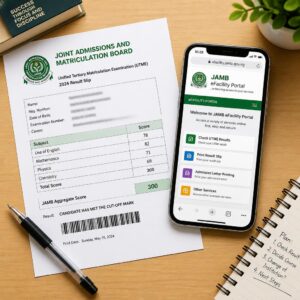
After receiving confirmation (usually via email or SMS), log in to your JAMB profile and verify that your name has been updated correctly. Print a new JAMB result slip or admission letter showing the corrected name.
Alternative Method: Visiting a JAMB Office or CBT Centre
If you encounter difficulties with the online process, or if JAMB requires you to appear in person for verification, you can visit:
- JAMB State Offices: Each state in Nigeria has a JAMB office. Locate the one nearest to you.
- JAMB Headquarters: Located in Bwari, Abuja, for complex cases.
- Accredited JAMB CBT Centres: Some accredited centres can assist with data correction requests.
When visiting in person, bring:
- Original and photocopies of all supporting documents.
- Your JAMB registration details.
- Evidence of payment (if you have already paid online).
- A valid ID card.
Be prepared to explain the discrepancy clearly and provide any additional documents the JAMB officer may request.
Important Notes on JAMB Name Correction
- Timing matters. It is much easier to correct your name before admission or clearance than after you have already been admitted and started studying. If you notice a name mismatch early, act immediately.
- NIN consistency. JAMB now requires your NIN for registration and profile management. Your name on your NIN should match the name you want on your JAMB profile. If your NIN also has a different name, you may need to correct your NIN records first through the National Identity Management Commission (NIMC).
- Multiple corrections. If you need to correct more than one piece of information (for example, your name and your date of birth), you may need to pay separate fees for each correction. JAMB’s policies on this can change, so confirm the requirements at the time of your application.
- Avoid middlemen. Process your correction directly through JAMB’s official channels. Do not pay agents or middlemen who claim to have special connections within JAMB. Fraudulent agents may collect your money without making any correction, or they may make incorrect changes to your profile.
How to Correct Your Name on Your WAEC Certificate
If the error is on your WAEC certificate rather than your JAMB profile, you need to apply to WAEC for a correction. WAEC has an official process for correcting errors on certificates and results.
When to Correct Your WAEC Certificate
You should correct your WAEC certificate if:
- Your name was misspelt on the certificate.
- Your name order was entered incorrectly.
- A middle name was omitted or added incorrectly.
- You changed your name after writing WAEC.
Requirements for WAEC Name Correction
Gather the following documents before applying:
- Your original WAEC certificate or statement of result (the one with the error).
- A sworn affidavit from a court of law, explaining the error and declaring your correct name.
- A newspaper publication of the name correction or change (published in a widely circulated Nigerian newspaper).
- Your birth certificate or age declaration.
- A letter from your secondary school (the school where you wrote WAEC), confirming your identity and the correct name. This letter should be signed by the school principal and stamped with the school’s official stamp.
- Passport-sized photographs (as specified by WAEC).
- A valid means of identification (national ID card, international passport, or driver’s licence).
- Your WAEC examination number.
Step-by-Step Process for WAEC Name Correction
Step 1: Obtain a Sworn Affidavit
Visit a court of law (typically a magistrate court or high court) to swear an affidavit. The affidavit should:
- State your correct full name.
- Explain the error on your WAEC certificate.
- Declare that the person bearing the name on the WAEC certificate and the person bearing your correct name are one and the same individual.
- Be signed by you and witnessed by a court official.
The cost of a sworn affidavit varies by state but is typically between ₦500 and ₦2,000.
Step 2: Publish a Newspaper Notice
Publish a notice of name correction or change in a widely circulated Nigerian newspaper. The notice should state:
- Your former name (as it appears on the WAEC certificate).
- Your correct name or new name.
- That both names refer to the same person.
- That the general public should take note.
The cost of a newspaper publication varies depending on the newspaper and the size of the notice. Budget between ₦3,000 and ₦10,000 or more.
Keep several copies of the newspaper page containing your notice.
Step 3: Obtain a Letter from Your Secondary School
Visit the secondary school where you wrote the WAEC examination and request a letter from the principal. The letter should confirm:
- That you were a student at the school.
- Your correct full name.
- Your WAEC examination number.
- That the name on the WAEC certificate contains an error, and the correct name is as stated.
The letter should be on the school’s official letterhead and bear the principal’s signature and the school’s stamp.
Step 4: Visit the WAEC Zonal or National Office
WAEC has zonal offices in several locations across Nigeria, as well as a national office. Visit the appropriate office with:
- Your original WAEC certificate or statement of result.
- The sworn affidavit.
- The newspaper publication.
- The letter from your secondary school.
- Your birth certificate or age declaration.
- Passport photographs.
- A valid means of identification.
- Your WAEC examination number and year of examination.
At the WAEC office, you will be required to:
- Complete an application form for correction of name.
- Submit your supporting documents.
- Pay the required processing fee (the fee varies, so confirm at the WAEC office).
Step 5: Wait for Processing
WAEC will review your application, verify the documents, and process the correction. This can take several weeks to several months, depending on the complexity of the case and WAEC’s workload.
Step 6: Collect the Corrected Certificate
Once WAEC approves the correction, you will be notified to collect your corrected certificate or an amended result. Confirm the collection process with the WAEC office.
Important Notes on WAEC Name Correction
- Processing time: WAEC name corrections can take a long time. Start the process as early as possible — ideally before you need the corrected certificate for university clearance or graduation.
- Cost: The total cost includes the affidavit, newspaper publication, WAEC processing fee, and travel expenses. Budget accordingly.
- Original certificate: WAEC may require you to surrender your original (incorrect) certificate when collecting the corrected one.
- Online result verification: Even after correcting your certificate, check your WAEC result online to confirm that the name correction is reflected in WAEC’s database.
- WAEC Scratch Card for Online Verification: You may need to purchase a WAEC scratch card to check your result online and verify that the correction has been applied.
What If You Changed Your Name Legally?
If you changed your name legally (for example, after marriage, religious conversion, or personal preference), the process is slightly different from correcting an error. In this case, neither your WAEC certificate nor your JAMB profile is “wrong” — they simply reflect the name you were using at different times.
To update your records after a legal name change, you will typically need:
- A sworn affidavit declaring the change of name.
- A newspaper publication announcing the change of name.
- Any supporting documents related to the reason for the name change (for example, a marriage certificate if the change is due to marriage).
You can then use these documents to apply for:
- JAMB data correction (to update your JAMB profile to your new name).
- WAEC name correction (to update your WAEC certificate to your new name, if you choose to do so).
- University records update (to update your name on your university’s records).
Important: When updating records after a name change, ensure that you update all your records — WAEC, JAMB, university, NIN, and any other relevant documents — so that they all reflect the same name.
JAMB Regularization: When You Need It and How to Do It
As mentioned earlier, JAMB regularization is a distinct process from JAMB data correction. However, candidates with name mismatches sometimes need regularization in addition to (or instead of) data correction.
What Is JAMB Regularization?
JAMB regularization is the process of officially registering your admission with JAMB if your admission was not originally processed through JAMB or if JAMB’s records do not accurately reflect your admission.
JAMB requires that every student admitted into a Nigerian tertiary institution (university, polytechnic, or college of education) must have a valid JAMB registration and admission record. If you do not, your degree or certificate may not be recognised.
Who Needs JAMB Regularization?
You may need JAMB regularization if:
- You were admitted without a valid JAMB UTME or Direct Entry registration.
- Your admission was processed by the institution but was not transmitted to JAMB.
- You were admitted through a pre-degree, foundation, or remedial programme, and your admission was not captured by JAMB.
- Your JAMB records show that you were not admitted, even though you completed your studies.
- JAMB has no record of your admission because of administrative errors.
- Your admission was not reflected on JAMB CAPS.
How JAMB Regularization Relates to Name Mismatches
If you are already studying or have graduated, and you discover that your JAMB records have a different name from your WAEC certificate, you may need to:
- Correct your name on JAMB (through data correction).
- Regularize your admission with JAMB (if JAMB does not recognise your admission, or if your admission records are incomplete or incorrect).
Some candidates find out about the name mismatch during NYSC mobilisation, when NYSC requires consistent records. In such cases, both JAMB data correction and regularization may be necessary.
Step-by-Step Process for JAMB Regularization
Step 1: Confirm That You Need Regularization
Check your admission status on the JAMB CAPS portal. If JAMB has no record of your admission, or if your records are inaccurate, you likely need regularization.
Step 2: Visit the JAMB e-Facility Portal
Go to efacility.jamb.gov.ng and log in to your account (or create one if you do not have an account).
Step 3: Select “Regularization”
Look for the “Regularization” option under the list of available transactions or services.
Step 4: Fill in the Required Information
You will be asked to provide:
- Your personal details (ensure these match your correct name).
- The institution that admitted you.
- The course you were admitted to study.
- The year of admission.
- Your JAMB registration number (if you have one).
- Your O’level details (WAEC, NECO, or NABTEB examination number and year).
Step 5: Upload Supporting Documents
Upload scanned copies of:
- Your admission letter from the institution.
- Your O’level results (WAEC/NECO certificate or statement of result).
- Other relevant documents as requested by JAMB.
Step 6: Pay the Regularization Fee
JAMB charges a fee for regularization. The fee has historically been around ₦5,000 to ₦7,500, but this amount can change. Confirm the current fee on the portal. Payment is made online.
Step 7: Submit the Application
Review all the information you have entered, ensure it is accurate, and submit the application.
Step 8: Institutional Verification
After submission, JAMB may contact your institution to verify your admission. The institution will confirm or deny that you were admitted. This step can take time, especially if the institution’s records are not well-organised.
Step 9: JAMB Processing
JAMB will process your regularization based on the information provided and the institutional verification. If everything checks out, JAMB will update its records to reflect your admission.
Step 10: Confirm Regularization
Once the process is complete, check your JAMB profile to confirm that your admission has been regularized and that your name is correct.
Important Notes on JAMB Regularization
- JAMB regularization does not replace proper JAMB registration. It is a remedial process. Future candidates should always ensure they register for JAMB and go through the proper admission process.
- Regularization may not be available for all categories of candidates. JAMB’s policies on regularization can change. Confirm current eligibility before starting the process.
- Regularization alone does not correct a name mismatch. You may need to apply for data correction separately if your name is wrong on JAMB.
- Do not delay. If you need regularization, start the process as early as possible. Delays can affect your graduation, certificate collection, or NYSC mobilisation.
How to Correct Your Name on Your University or Polytechnic Records
If your university or polytechnic records show a different name from your WAEC certificate or JAMB profile, you also need to correct the institutional records. The process varies by institution, but the general steps are:
Step 1: Visit the Academic Affairs or Student Records Office
Go to the office responsible for student records at your institution. This may be called the Academic Affairs Unit, the Registrar’s Office, the Student Records Unit, or a similar name.
Step 2: Explain the Name Discrepancy
Present your documents and explain the name discrepancy. Show the corrected WAEC certificate, corrected JAMB profile, sworn affidavit, newspaper publication, and any other relevant documents.
Step 3: Complete the Institution’s Name Correction Form
Most institutions have a form or application process for correcting student records. Fill it out accurately.
Step 4: Submit Supporting Documents
Submit copies of all supporting documents, including:
- Corrected WAEC certificate or result.
- Corrected JAMB result slip or admission letter.
- Sworn affidavit.
- Newspaper publication.
- Birth certificate.
- Valid identification.
Step 5: Pay Any Required Fees
Some institutions charge a fee for correcting student records. Confirm with the relevant office.
Step 6: Follow Up
Follow up with the office to ensure the correction is processed and reflected in all relevant university systems (student records, examination records, transcript system, and so on).
Step 7: Request Updated Documents
After the correction is processed, request updated versions of any institutional documents that show your name, such as:
- Student ID card.
- Admission letter.
- Course registration forms.
- Transcripts.
How to Correct Your NIN (National Identification Number) Records
Since JAMB now requires your NIN for registration and profile management, it is important that your name on your NIN matches your WAEC and JAMB records.
If your NIN record shows a different name, you need to update it through the National Identity Management Commission (NIMC).
Step-by-Step Process
- Visit an NIMC enrolment centre near you.
- Explain the name discrepancy and request a data modification.
- Submit supporting documents, including your birth certificate, sworn affidavit, newspaper publication, and valid identification.
- Complete the required form and pay any applicable fees.
- Wait for processing. NIMC will update your records.
- Verify the correction by checking your NIN slip or NIMC records.
Why this matters: If your NIN has a different name from your JAMB profile, JAMB may not be able to process your data correction or may flag your profile for further verification. Ensuring NIN consistency first makes the entire process smoother.
Documents You Will Need: A Complete Checklist
Here is a consolidated checklist of documents you may need to resolve a WAEC-JAMB name mismatch. Not all documents are required in every case — the specific documents depend on the nature of the mismatch and the correction process you are following.
- ☐ Original WAEC certificate or statement of result
- ☐ WAEC result printout (from WAEC online result checking service)
- ☐ JAMB result slip or original admission letter
- ☐ JAMB profile printout
- ☐ Sworn affidavit (from a court of law)
- ☐ Newspaper publication of name correction or change
- ☐ Birth certificate or age declaration
- ☐ Letter from secondary school (signed by the principal, on official letterhead)
- ☐ NIN slip or national identity card
- ☐ Valid means of identification (national ID, passport, driver’s licence)
- ☐ Marriage certificate (if the name change is due to marriage)
- ☐ Passport-sized photographs (as specified by WAEC or JAMB)
- ☐ University admission letter (if correcting university records or applying for JAMB regularization)
- ☐ JAMB registration number
- ☐ WAEC examination number and year
- ☐ Evidence of payment for correction fees
Tip: Prepare both originals and multiple photocopies of each document. Some offices may need to retain copies.
Costs Involved in Resolving a WAEC-JAMB Name Mismatch
The total cost of resolving a name mismatch depends on which records need correction and the specific requirements at the time of your application. Here is a general cost estimate:
| Item | Estimated Cost (₦) |
|---|---|
| Sworn affidavit | 500 – 2,000 |
| Newspaper publication | 3,000 – 10,000+ |
| JAMB data correction fee | 2,500 – 3,500 |
| WAEC correction fee | Varies (confirm with WAEC) |
| JAMB regularization fee | 5,000 – 7,500 |
| NIMC data modification fee | Varies (confirm with NIMC) |
| University name correction fee | Varies by institution |
| Transport and logistics | Varies by location |
| Photocopies and printing | 500 – 2,000 |
Note: These are estimates based on recent figures. Fees can change at any time. Always confirm the current fees with the relevant authority before making payments.
Total estimated range: ₦10,000 – ₦30,000+ depending on the number of corrections needed.
While these costs may seem significant, the consequences of leaving a name mismatch unresolved are far more costly in terms of delayed admission, blocked graduation, or unrecognised qualifications.
How Long Does the Correction Process Take?
The time required to resolve a name mismatch varies depending on the records being corrected and the efficiency of the relevant authorities.
| Process | Estimated Time |
|---|---|
| Sworn affidavit | Same day |
| Newspaper publication | 1 – 7 days (for publication) |
| JAMB data correction | A few days to 2 – 4 weeks |
| WAEC name correction | 4 weeks to several months |
| JAMB regularization | 2 weeks to several months |
| NIMC data modification | 1 – 4 weeks |
| University record correction | Varies by institution |
Advice: Start the correction process as early as possible. Do not wait until you need the corrected document urgently (for example, right before a clearance deadline or NYSC mobilisation).
What to Do If You Are Currently Seeking Admission
If you are currently seeking admission and you have discovered a name mismatch between your WAEC and JAMB profile, here is a prioritised action plan:
Immediate Steps
- Identify the source of the error. Use the comparison table earlier in this guide to determine whether the error is on your WAEC, JAMB, or both.
- Apply for JAMB data correction immediately if the error is on your JAMB profile. The online process through the JAMB e-facility portal is the fastest option.
- Begin the WAEC correction process if the error is on your WAEC certificate. Since this process takes longer, start it right away.
- Obtain a sworn affidavit declaring the correct name and explaining the discrepancy. You will need this for both JAMB and WAEC corrections, and you can also present it during Post-UTME and university clearance.
- Publish a newspaper notice of the name correction or change.
- Inform the institution you are applying to. Some universities and polytechnics are understanding about name mismatches if you can provide supporting documents (affidavit, newspaper publication) showing that the correction is in progress.
During Post-UTME
If you are about to sit for Post-UTME and your name mismatch has not yet been resolved:
- Bring your sworn affidavit and newspaper publication to the Post-UTME screening.
- Explain the situation to the screening officials if they raise the issue.
- Provide all supporting documents showing that you have initiated the correction process.
Some institutions may allow you to proceed with screening while the correction is being processed; others may require the correction to be completed first. This depends on the institution’s policy.
During Clearance
If you have been admitted but your name mismatch has not been corrected:
- Present the sworn affidavit and newspaper publication during clearance.
- Provide evidence that you have applied for the correction (for example, a receipt from JAMB or WAEC showing your correction application).
- Ask the clearance officer for guidance on the institution’s specific requirements.
- Follow up on the correction and submit the corrected documents as soon as they are available.
What to Do If You Are Already a Student
If you are currently a student and you have just discovered a name mismatch between your WAEC and JAMB profile:
- Do not panic. The problem is fixable, even at this stage.
- Start the correction process immediately. The longer you wait, the more complicated it becomes.
- Correct your JAMB profile through data correction (if the error is on JAMB).
- Correct your WAEC certificate (if the error is on WAEC).
- Inform your university’s student records or academic affairs office. They may have experience handling similar cases and can guide you on the institution-specific process.
- Correct your university records once you have the corrected WAEC and/or JAMB documents.
- Keep copies of all documents and correspondence related to the correction process.
- Ensure the correction is completed before graduation. A name mismatch can delay your degree certificate and NYSC mobilisation.
What to Do If You Have Already Graduated
If you have already graduated and you discover a name mismatch (or if the mismatch is preventing your NYSC mobilisation or employment), you will need to:
- Correct the relevant records (WAEC, JAMB, or both) using the processes described in this guide.
- Apply for JAMB regularization if JAMB does not have a record of your admission or if your admission record is inaccurate.
- Contact your university’s alumni or student records office to update your records and request corrected documents (transcript, degree certificate, etc.).
- Present the corrected documents to NYSC if the mismatch was blocking your mobilisation.
- Keep the sworn affidavit and newspaper publication as permanent records, as you may need them in future for employment verification, professional registration, or further studies.
Special Cases and Scenarios
Scenario 1: Only the Name Order Is Different
Example: Your WAEC says Bakare Adewale Oluwaseun, but your JAMB profile says Adewale Oluwaseun Bakare.
In this case, the names are the same, but the order is different. This is a common issue in Nigeria, where people sometimes list their surname first and other times list their first name first.
Solution:
- You still need to correct the record so that both documents show the same name order.
- Obtain a sworn affidavit declaring that both name arrangements refer to the same person and indicating the correct order you wish to use going forward.
- Apply for JAMB data correction (if you want JAMB to reflect the order on your WAEC) or WAEC name correction (if you want WAEC to reflect the order on your JAMB).
- Ensure all future documents use the same name order.
Scenario 2: A Middle Name Is Missing on One Document
Example: Your WAEC says Chidinma Blessing Okafor, but your JAMB profile says Chidinma Okafor (no middle name).
Solution:
- Obtain a sworn affidavit confirming that Chidinma Okafor and Chidinma Blessing Okafor are the same person.
- Apply for JAMB data correction to add the middle name.
- You may not need a newspaper publication for a minor omission, but it is advisable to have one for completeness.
Scenario 3: The Surname Is Completely Different
Example: Your WAEC says Aisha Mohammed, but your JAMB profile says Aisha Ibrahim.
This is a more significant mismatch that requires thorough documentation.
Solution:
- Obtain a sworn affidavit explaining the discrepancy (for example, if you changed your family name, or if one registration used your father’s name and the other used a different family name).
- Publish a newspaper notice.
- Provide supporting documents (birth certificate, family declaration, etc.).
- Apply for correction on whichever record has the wrong name.
- If you legitimately changed your name, correct the older record to match the new name.
Scenario 4: A Spelling Error on One Document
Example: Your WAEC says Oluwafemi, but your JAMB profile says Oluwafunmi.
Solution:
- Determine which spelling is correct (compare with your birth certificate and other official documents).
- Obtain a sworn affidavit if necessary.
- Apply for data correction on the record with the incorrect spelling.
- This type of correction is usually straightforward and can be completed through the JAMB online portal.
Scenario 5: Name Changed Due to Marriage
Example: A female candidate registered for WAEC as Ngozi Uche but registered for JAMB after marriage as Ngozi Eze.
Solution:
- Obtain a sworn affidavit declaring the change of name due to marriage.
- Provide a marriage certificate as supporting evidence.
- Publish a newspaper notice of the name change.
- Decide which record to update (most candidates update the older record to match the current name).
- Apply for WAEC name correction (to change from Uche to Eze) or JAMB data correction (depending on which record needs updating).
Scenario 6: You Used NECO for JAMB but Need to Present WAEC
Some candidates registered for JAMB using details matching their NECO result but need to present their WAEC certificate (which has a different name) for clearance or verification.
Solution:
- If the names on your NECO and WAEC differ, you need to correct one or both records to ensure consistency.
- Obtain a sworn affidavit.
- Apply for the appropriate correction(s).
- Ensure that all your O’level results show the same name as your JAMB profile and university records.
How to Avoid Name Mismatch Problems in the First Place
Prevention is always better than correction. Here are practical steps to avoid name mismatch problems:
For Students About to Write WAEC
- Review your registration details carefully. Before the registration deadline, check that your full name is spelt correctly and in the correct order.
- Use your legal name. Register with the exact name on your birth certificate.
- Include your middle name. If you have a middle name on your birth certificate, include it in your WAEC registration.
- Do not use nicknames or abbreviated names.
- Ask your school to let you verify your registration details before submission.
For Candidates About to Register for JAMB
- Use the exact same name that appears on your WAEC certificate. This is the most important step. Before registering for JAMB, look at your WAEC result and enter your name exactly as it appears there.
- Double-check every letter. Errors as small as a single mistyped letter can cause problems.
- Ensure your NIN name matches. Since JAMB uses your NIN for verification, your NIN name should match your WAEC name.
- Review your JAMB registration slip after registration. If you spot an error, report it immediately to the CBT centre or JAMB.
For Candidates Who Have Changed Their Name
- Update all records before registering for JAMB. If you changed your name after writing WAEC, correct your WAEC certificate before registering for JAMB.
- If this is not possible, register for JAMB with the name on your WAEC, and then apply for a name change on both documents after JAMB registration.
- Keep your affidavit and newspaper publication in a safe place.
General Advice
- Maintain consistency across all documents: birth certificate, O’level results, JAMB profile, NIN, university records, and professional registrations.
- Address discrepancies immediately when you notice them. Do not postpone.
- Keep copies of all corrections and supporting documents permanently.
Common Mistakes to Avoid
1. Ignoring the Mismatch
Some candidates notice the name mismatch but hope it will not cause problems. This is a mistake. The mismatch will almost certainly cause problems at some point — during clearance, graduation, NYSC, or employment.
2. Waiting Until the Last Minute
Many candidates only try to fix the mismatch when they need the corrected document urgently (for example, during clearance or NYSC mobilisation). By then, the processing time may cause delays. Start the correction process as early as possible.
3. Not Obtaining a Sworn Affidavit
A sworn affidavit is a critical document for any name correction or change. Without it, JAMB, WAEC, and your institution may not process your request. Always obtain an affidavit as one of the first steps.
4. Not Publishing a Newspaper Notice
A newspaper publication is required for most name corrections and changes. Some candidates skip this step, thinking the affidavit alone is sufficient. Both documents are usually required.
5. Using Middlemen or Agents
Candidates sometimes pay agents or middlemen to process their corrections. This is risky because:
- The agent may collect your money and disappear.
- The agent may enter incorrect information.
- The agent may not actually submit your application.
- You have less control over the process.
Always process corrections through official channels yourself, or with the direct assistance of an official JAMB or WAEC staff member.
6. Correcting Only One Record
If your WAEC, JAMB, and university records all show different names, correcting only one record will not solve the problem. Ensure all records are consistent.
7. Not Verifying the Correction After Processing
After JAMB or WAEC processes your correction, check the corrected document carefully. Verify that the name is now correct and matches your other records. If the correction was not applied properly, report it immediately.
8. Fabricating Documents
Some candidates, in desperation, consider fabricating or forging supporting documents (fake affidavits, fake newspaper publications, or fake school letters). This is illegal and can result in criminal prosecution, expulsion from the university, or permanent disqualification from JAMB examinations.
9. Not Keeping Copies of Documents
Always keep original and photocopies of all documents related to the correction process. You may need them in future, even years after the correction is completed.
10. Not Correcting the NIN
If your NIN has a different name and you do not correct it, the JAMB correction process may fail because JAMB cross-references your details with your NIN. Ensure your NIN is corrected first or simultaneously.
Tips for a Smooth Name Correction Process
- Start early. The moment you discover a mismatch, begin the correction process.
- Gather all documents before applying. Having all documents ready prevents delays caused by missing paperwork.
- Be patient but persistent. Government agencies and examination bodies can be slow. Follow up regularly but politely.
- Keep records of all interactions. Note the dates you submitted applications, the names of officials you spoke to, receipt numbers, and any reference numbers.
- Be honest. Explain the discrepancy truthfully. Do not try to hide the reason for the mismatch.
- Confirm current fees and procedures. Fees and processes change over time. Always confirm the latest requirements before making payments or submitting applications.
- Use official channels. Visit official JAMB and WAEC offices or use their official websites. Avoid unofficial agents.
- Seek help from your institution if you are a student. Your university or polytechnic’s student affairs or academic affairs office may be able to assist or advise you.
- Consider legal advice for complex cases. If your name mismatch involves a legal name change, a disputed family name, or other complex circumstances, consulting a lawyer may be helpful.
- Update all documents to match. After correcting the mismatch, ensure every document — WAEC, JAMB, university records, NIN, bank accounts, and professional registrations — reflects the same name.
Dealing with Unresponsive Offices
Nigerian bureaucracy can be frustrating. If you encounter difficulties with JAMB, WAEC, or your institution during the correction process, consider the following approaches:
For JAMB
- Visit the JAMB state office in person if the online process is not working.
- Send a formal letter to the JAMB Registrar explaining your situation, attaching supporting documents.
- Contact JAMB’s customer service through their official channels (phone, email, or social media).
- Visit JAMB Headquarters in Bwari, Abuja for complex or persistent cases.
For WAEC
- Visit the nearest WAEC zonal office in person.
- Send a formal application letter to the WAEC Head of National Office (HNO) in Lagos.
- Follow up regularly with the office handling your case.
- Contact WAEC’s customer service through their official channels.
For Your Institution
- Escalate the matter to the Dean of Student Affairs or the university Registrar if the student records office is unresponsive.
- Submit a formal written complaint if necessary.
- Seek assistance from your department or faculty.
General Tips
- Always remain respectful and professional in your interactions with officials.
- Keep copies of all letters and correspondence.
- Document every visit, including dates, times, and the names of officials you met.
- Be persistent without being aggressive.
Frequently Asked Questions (FAQs)
1. Can I gain admission if my WAEC name does not match my JAMB profile?
It is possible to receive an admission offer even with a name mismatch, because JAMB’s admission system (CAPS) may not always flag minor discrepancies during the admission process. However, the mismatch will likely cause problems during Post-UTME screening, clearance, or graduation. It is strongly advisable to correct the mismatch before or immediately after gaining admission.
2. How much does it cost to correct my name on JAMB?
JAMB’s data correction fee has typically been between ₦2,500 and ₦3,500, but this can change. You will also need to pay for a sworn affidavit (₦500 – ₦2,000) and a newspaper publication (₦3,000 – ₦10,000+). Confirm the current JAMB fee on the JAMB e-facility portal before making payment.
3. How long does JAMB data correction take?
JAMB data correction is usually processed within a few days to two to four weeks. However, processing times can vary depending on JAMB’s workload and the complexity of the correction. Follow up if you do not receive confirmation within a reasonable time.
4. Can I correct my WAEC name online?
As of the latest available information, WAEC does not offer a fully online name correction service for candidates in Nigeria. You typically need to visit a WAEC zonal or national office in person to submit your application. However, WAEC’s processes may evolve, so check WAEC’s official website or contact a WAEC office for the most current procedure.
5. Do I need both a sworn affidavit and a newspaper publication?
In most cases, yes. Both documents are standard requirements for name corrections and changes in Nigeria. The sworn affidavit provides a legal declaration, while the newspaper publication serves as a public notice. JAMB, WAEC, and most institutions require both.
6. What if my NIN name is also different?
If your NIN shows a different name from your WAEC and JAMB, you should correct your NIN records through the National Identity Management Commission (NIMC) first or simultaneously. Since JAMB uses your NIN for verification, having a consistent NIN name makes the JAMB correction process smoother.
7. Can I do JAMB regularization online?
Yes, JAMB regularization can be initiated online through the JAMB e-facility portal at efacility.jamb.gov.ng. However, you may need to visit a JAMB office for verification or follow-up, depending on the circumstances.
8. Is JAMB regularization the same as JAMB data correction?
No. JAMB data correction involves fixing errors or updating information on an existing JAMB profile. JAMB regularization involves officially registering an admission with JAMB that was not originally processed through JAMB. Some candidates may need both processes, but they are separate.
9. What happens if I do nothing about the name mismatch?
If you leave the name mismatch unresolved, you may face problems including:
- Denial of clearance at your institution.
- Blocked graduation or delayed certificate collection.
- Inability to be mobilised for NYSC.
- Problems with employment verification.
- Difficulties with professional licensing.
- Complications with postgraduate admission or international applications.
It is always better to resolve the mismatch, no matter how minor it may seem.
10. Can my university help with the correction process?
Your university can help with correcting its own institutional records, but it cannot correct your WAEC certificate or JAMB profile on your behalf. You must apply to WAEC and JAMB directly for those corrections. However, your university’s student affairs or academic affairs office may provide guidance and advice on the process.
11. What if my WAEC correction takes months and I need clearance now?
If your WAEC correction is taking a long time and you need to complete clearance, present your sworn affidavit, newspaper publication, and evidence that you have applied for the WAEC correction to your university’s clearance team. Some institutions may grant conditional clearance while you await the corrected WAEC certificate. This depends on the institution’s policy, so discuss it with the clearance officer.
12. Is it illegal to have a name mismatch?
Having a name mismatch is not illegal in itself — it is usually the result of an error or a legitimate name change. However, using documents with different names to deceive an institution, examination body, or employer could have legal consequences. The proper course of action is to correct the mismatch through official channels.
A Summary Flowchart: What to Do About a WAEC-JAMB Name Mismatch
Here is a simplified decision flowchart to help you determine your next steps:
Step 1: Compare your name on WAEC, JAMB, NIN, and birth certificate.
↓
Step 2: Identify where the mismatch is.
↓
If the error is on JAMB → Apply for JAMB data correction (online via efacility.jamb.gov.ng or at a JAMB office).
If the error is on WAEC → Apply for WAEC name correction (at a WAEC zonal/national office).
If both are wrong → Correct both records.
If you changed your name → Update the older record to match the new name. Get an affidavit and newspaper publication.
↓
Step 3: Ensure your NIN matches. If not, correct it through NIMC.
↓
Step 4: Correct your university/polytechnic records to match.
↓
Step 5: Verify all corrections are reflected in all systems.
↓
Step 6: Keep all documents (affidavit, newspaper, corrected certificates) permanently.
Conclusion
A name mismatch between your WAEC certificate and your JAMB profile is a common problem among Nigerian students, but it is one that must be taken seriously and resolved promptly. Whether the mismatch is a minor spelling difference, a rearranged name order, a missing middle name, or a completely different surname, leaving it unresolved can cause significant problems at every stage of your education and career — from Post-UTME screening and university clearance to graduation, NYSC mobilisation, employment, and professional registration.
The key steps to resolving a name mismatch are:
- Identify the source of the error by comparing your WAEC, JAMB, NIN, and birth certificate.
- Obtain a sworn affidavit from a court of law declaring the correct name and explaining the discrepancy.
- Publish a newspaper notice of the name correction or change.
- Apply for the appropriate correction — JAMB data correction if the error is on JAMB, WAEC name correction if the error is on WAEC, or both.
- Correct your NIN through NIMC if necessary.
- Update your university or polytechnic records to match.
- Verify all corrections and keep all supporting documents permanently.
If your admission was not properly captured by JAMB, you may also need to complete JAMB regularization to ensure your admission is officially recognised.
Start the correction process as early as possible, use official channels, avoid middlemen, and follow up persistently until the correction is confirmed. Taking action now will save you from much bigger problems later.
If you are unsure about any step, visit the nearest JAMB state office, WAEC zonal office, or your institution’s student affairs office for guidance. You can also check the official JAMB website at jamb.gov.ng and the official WAEC website at waecdirect.org for the latest information.
Your name is your identity. Make sure it is consistent and correct across all your academic documents.
Recommended Official Sources for Verification
- JAMB Official Website: jamb.gov.ng
- JAMB e-Facility Portal: efacility.jamb.gov.ng
- WAEC Official Website: waecdirect.org
- WAEC Nigeria Office: waeconline.org.ng
- NIMC (National Identity Management Commission): nimc.gov.ng
Information Requiring Verification Before Publication
The following details should be verified against the latest official sources before the article is published:
- JAMB data correction fee: Confirm the current fee on the JAMB e-facility portal.
- JAMB regularization fee: Confirm the current fee on the JAMB e-facility portal.
- WAEC correction processing fee: Confirm with a WAEC office, as this is not always published online.
- NIMC data modification fee and process: Confirm with NIMC, as processes may have changed.
- Availability of online JAMB data correction: Confirm that the process described is still current and functional on the portal.
- WAEC correction process: Confirm that the process described matches WAEC’s current requirements.